Latest Trendsetters ... What's Your Phone Style ... Whose Phone Is It Anyway ... Take Your Phone Personally ... Socially Correct On The Go ... Phone Shopping Tips & Tools ... Are We Having Fun Yet ... About This Web Site ...
Subscribe To This Site's Feed
Comparing Cell Phones & Plans
Comparing cell phones and calling plans can be quite challenging. But finding the right mobile phone for you does not have to be like playing Russian roulette. Here are some quick and easy tips and tools. [MORE...]
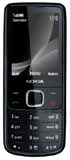
Compare phones to find the right Nokia phone for you by indicating your preferences in model, carrier, design and features. Based on your responses, you are presented with the matching Nokia phones. Then you have the option of comparing cell phones on the list. More | Trendy Nokia Cell Phones
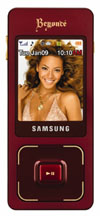
For recommendations on the right Samsung phone for you, use Samsung's Find A Phone. Samsung phones are displayed based on your preferred functionality, features and style, then you can compare the filtered selection. More | Trendy Samsung Cell Phones
Have you been fitted for an LG phone? Or maybe you could use a fitting re-check just to make sure you are up to date with the LG phone that best matches your mobile lifestyle. This LG phone fitting tool is just what the doctor ordered and a fun way for comparing cell phones by LG. This tool lets you select and compare several LG phones by carrier, design style or features that best represent your lifestyle and personality. More | Trendy Cell Phones By LG
This tool falls in the "must-use" category when comparing cell phones by multiple manufacturers. Remember, the "best" cell phone for everyone else may not be "best" for you, so MyPhoneFinder lets you assign a weight to each of 16 features, to indicate their importance to you.
Does it matter where you buy a cell phone? Did you know that underestimating your airtime needs by just 10% can lead to a bill increase of 50% or more? Who should "cut the cord" and go wireless? An interactive guide shines a bright light on these and other topics.
You would be surprised just how many books are available on the complex topic of shopping for cell phones and calling plans. So if you really want to get extra-methodical, here are some selections to consider.
This tool falls in the "must-use" category when comparing cell phones by multiple manufacturers. Remember, the "best" cell phone for everyone else may not be "best" for you, so MyPhoneFinder lets you assign a weight to each of 16 features, to indicate their importance to you. Then you select some or all of the listed carriers. You may also limit your search to free phones or family plans.
The tool then displays matching phones for your requirements. You then select up to five phones to compare and you get a side-by-side comparison of the phones including prices. Or if you already know which phones you want to compare, just skip the weighting section of MyPhoneFinder and go directly to the Compare Any Phones Tool.
Does it matter where you buy a cell phone? Did you know that underestimating your airtime needs by just 10% can lead to a bill increase of 50% or more? Who should "cut the cord" and go wireless? An interactive guide shines a bright light on these and other topics.
Downloadable online as an eBook, The MyRatePlan.com Guide to Buying a Cell Phone and Rate Plan can be a time- and money-saver if you are shopping for new wireless service, or just wanting to see if you are getting the best value with your current provider. The $6.95 price can be credited towards the purchase of a cell phone and plan.
You would be surprised just how many books are available on the complex topic of shopping for cell phones and calling plans. So if you really want to get extra-methodical, here are some selections to consider: